

It’s so easy today to just send an email. The hard part is getting it delivered to the inbox. The reality is that every day more and more inbox providers are improving their spam filters, and even the most eloquent campaign can end up in the spam folder if you have broken HTML, no authentication records set up, or a subject line that triggers a spam filter.
That’s the reason why marketers, developers, and email QA teams test email with email testing tools before each send. We analyse your spam score, check SPF, DKIM and DMARC, preview in inboxes and find accessibility issues before the subscribers receive your message.
This is a side-by-side comparison of the five best email testing tools in 2026. We look at deliverability testing, spam checking, rendering tests, authentication testing, accessibility tests, user-friendliness and pricing to help you select the most suitable tool for your processes.
Top 3 Picks
| Tool | Best For |
| GlockApps | Deliverability & inbox placement testing |
| Litmus | Email design & rendering testing |
| Mailtrap | Development and staging environments |
What Email Testing Software Helps You Check
Email testing tools can highlight problems that might not become apparent when you view an email in your inbox. They can test for deliverability, inbox placement, HTML rendering, spam potential, authentication records and accessibility.
These tests indicate the potential deliverability of your e-mails to subscribers, cross-version delivery consistency of your e-mail within applications, and the accessibility of your e-mail to support technology users.
Business Reasons to Test Emails Before Sending
Testing your emails before they go out can help your business avoid costly errors and improve your email results by using email testing software. You can identify and correct potential issues such as spam triggers, display problems, authentication issues, and email client compatibility before an email goes to your subscribers.
It also helps validate mobile responsiveness, dark mode support, inbox placement, and accessibility so that recipients have a more uniform experience.
Criteria Used to Compare These Email Testing Tools
To make it fair, all email testing tools were tested based on the same five critical points: deliverability testing, inbox placement testing, spam filter testing, rendering previews for email clients and devices, HTML and CSS testing, validation of SPF, DKIM and DMARC, accessibility testing, reporting depth, usability, cost and free trial. This way its easier to compare features that are more significant for each business.
Email Testing Tools Compared
| Software | Rating | Best For | Key Features | Starting Price |
| GlockApps | 4.1/5 | Deliverability monitoring | Inbox placement, DMARC analytics, blacklist monitoring | 59 Dollars per month |
| Mailtrap | 4.8/5 | Development & staging | Email sandbox, SMTP testing, spam analysis, CI/CD integration | $15/month (Email Sandbox from ~$14–17/month) |
| Litmus | 4.6/5 | Email design testing | 100+ client previews, spam testing, analytics, Email Guardian | $500/month |
| Email on Acid | 4.5/5 | Technical & accessibility checks | 70+ client previews, accessibility checker, spam testing | $99/month ($73/month billed annually) |
| Mail-Tester | 3.9/5 | Quick free testing | SpamAssassin scoring, blacklist check, SPF/DKIM/DMARC check | Free (paid from $10/month) |
5 Best Email Testing Tools
1. GlockApps
Rating: 4.1/5
GlockApps is an email deliverability testing platform built for marketers and agencies who want to know exactly where their email actually arrived (not just if it was “delivered”). Instead of giving you one overall spam score, GlockApps actually delivers your sample email to dozens of real seed accounts at many of the major providers such as Gmail, Outlook, Yahoo, AOL, iCloud, etc and reports on whether those accounts received your email in the inbox, spam or promotions/updates tab.
In addition to placement testing, GlockApps also combines DMARC analytics, IP reputation and blacklisting monitoring, and uptime monitoring into the same dashboard, making it particularly valuable for teams sending from multiple domains and concerned with reputation. For this reason, GlockApps is one of the best email testing tools in 2026 for users who care primarily about deliverability and not design.
Key Features
- Real seed-list inbox placement testing across 20+ providers
- DMARC monitoring for unlimited domains
- IP reputation and blacklist monitoring
- Google Postmaster Tools integration
- Content and spam-trigger analysis
Pros
- Genuine inbox-vs-spam placement data, not just a spam score
- Generous DMARC monitoring even on lower tiers
- Useful free plan for occasional checks
Cons
- Test credits expire monthly with no rollover
- Interface can feel overwhelming for beginners
- Multi-inbox testing adds extra cost
Pricing
- Free: $0/month
- Essential: $59/month
- Growth: $99/month
- Enterprise: $129/month
2. Mailtrap
Rating: 4.8/5
Mailtrap is targeted towards developers and QA engineers who want to examine emails in a safe environment prior to being sent. Email Sandbox is ideal for testing and debugging SMTP traffic originating from your staging and development systems by providing engineers with the ability to assess the HTML, headers and spam scores of all outbound email, without sending the anonymous mail that you don’t want. Ideal for CI / CD and automated environments.
Mailtrap also has a separate Email API/SMTP product for production sending, meaning teams can go directly from sandbox testing to transactional or marketing emails all within the same product. Thanks to integrations with tools such as GitHub, Zapier and n8n, Mailtrap has become one of the most popular email testing tools of 2026 amongst engineering teams.
Key Features
- Email sandbox that captures test emails before they reach real inboxes
- HTML/CSS validation and spam-score analysis
- SPF, DKIM, and DMARC checks
- API and SMTP support for CI/CD integration
- Separate production Email API/SMTP for live sending
Pros
- Excellent for developers testing email flows pre-launch
- Fast, simple setup with strong API documentation
- High G2 ratings for support and reliability
Cons
- Not built for inbox placement testing across real mailbox providers
- Free plan has limited log retention
- Two separate products (Sandbox and Sending) can complicate billing
Pricing
- Free: $0/month — 4,000 emails
- Basic: 15 Dollars per month — 10,000 emails
- Business: 85 Dollars per month — 100,000 emails
- Enterprise: 750 Dollars per month — 1,500,000 emails
3. Litmus
Rating: 4.6/5
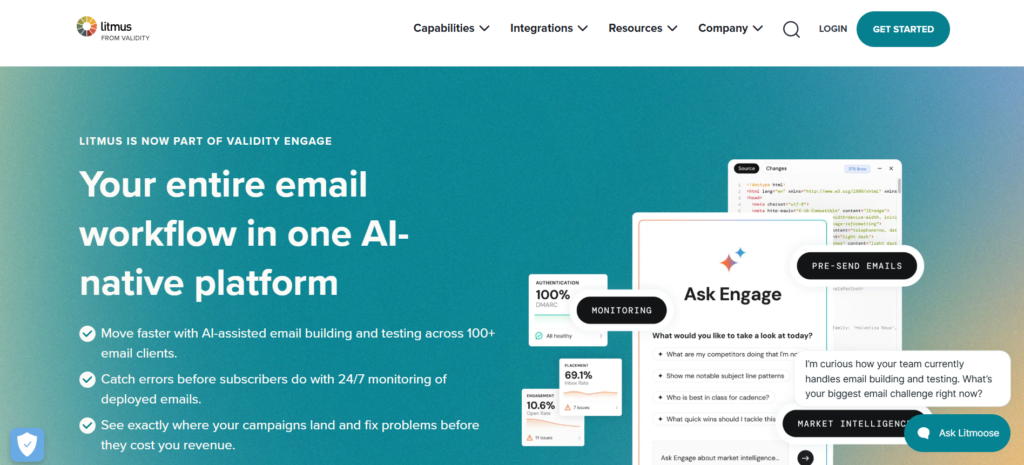
Litmus is one of the most well known brands in email design testing and is now owned by Validity. It enables marketing and design teams to see what their email will look like across over 100 email clients and devices before it is sent, preventing broken layouts, missing images, and dark mode issues from not being found until after a campaign has been launched.
Litmus offers pre-design options and advanced features such as built-in spam testing, deliverability add-ons, and an Email Guardian feature that tracks live campaigns and notifies the team if an email client upgrade breaks their template long after the campaign has launched. Used most frequently by agencies and enterprise marketers regularly sending very visual campaigns.
Key Features
- Previews across 100+ email clients and devices
- Spam score testing and content checks
- Email Guardian for post-send monitoring
- Team collaboration and approval workflows
- Optional deliverability and sender certification add-ons
Pros
- Industry-leading rendering accuracy across email clients
- Strong collaboration tools for larger marketing teams
- Highly rated for ease of use on G2
Cons
- Expensive compared to other tools on this list
- Pricing is largely sales-led and not fully transparent
- Deliverability features are sold as separate add-ons
Pricing
- Litmus Basic: $99/month
- Best for: One-person email teams
- Free Trial: Available
- Key benefit: Email design and testing across different inboxes and email clients.
4. Email on Acid
Rating: 4.5/5
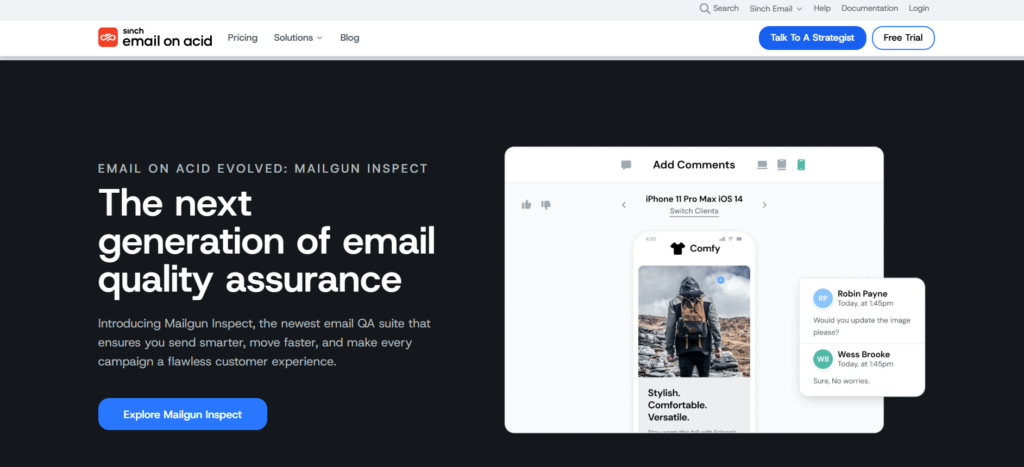
Email on Acid is centred around pre-deployment quality assurance, giving teams the ability to proactively catch rendering, content and accessibility problems before a campaign goes out. Provides previews across more than 70 email clients and devices and has a dedicated accessibility tester identifying contrast problems, missing alt text and accessibility issues, making it one of the best options available for teams with accessibility requirements.
Email on Acid also provides spam testing, link verification, image-blocking previews, among other things, providing teams with one fairly robust pre-send checklist. Just keep in mind that Anthropic’s research indicated that Email on Acid customers are being transitioned onto Sinch’s new platform, Mailgun Inspect, beginning in mid-2026, so purchasers should check current product status before subscribing.
Key Features
- Previews across 70+ email clients and devices
- Online accessibility tester for contrast, alt text, and screen reader compatibility.
- Spam testing and content analysis
- Image-blocking and dark-mode previews
- Broken link detection
Pros
- Strong accessibility testing not always found elsewhere
- More affordable entry point than Litmus
- Simple, straightforward interface
Cons
- Fewer client previews than Litmus
- Currently transitioning to Mailgun Inspect, which may affect existing accounts
- Higher-tier features locked behind Premium and Professional plans
Pricing
- Basic: $99/month
- Premium: $199/month
- Custom: Custom pricing
5. Mail-Tester
Rating: 3.9/5
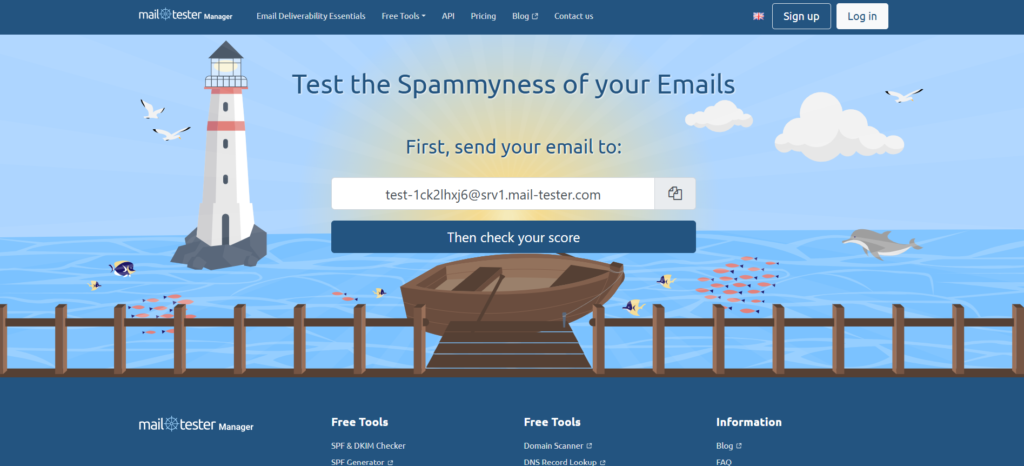
A fast, easy, free solution to get a spam-score check when you need it. Send a test message to a generated address, and Mail-Tester applies SpamAssassin to analyse your message and report back. It will analyze the content, format, name/blacklist tests, and authentication factor, then give you an easy to read score 0-10, with a list of what’s wrong.
While it isn’t suitable for profound inbox placement testing or client rendering issues, it is, of course, excellent for an immediate sanity check prior to launching a campaign or creating a new domain. Mail-Tester has been an excellent free email tester for over ten years, and that’s why it still appears on almost every comparison of “best email testing tools” in 2026.
Key Features
- Spam Assassin based spam score (0–10 scale)
- SPF, DKIM, and DMARC authentication checks
- Blacklist status check
- Broken link detection
- JSON API for developers
Pros
- Genuinely free with no signup required
- Fast results, usually within seconds
- Detailed per-rule SpamAssassin breakdown
Cons
- Limited to 3 free tests per 24 hours
- No real inbox placement testing across providers
- No email client rendering previews
Pricing
- 50 Tests/Month: $10/month — $0.20 per test
- 500 Tests/Month: $25/month — $0.05 per test
- 2,000 Tests/Month: $80/month — $0.04 per test
- 7,500 Tests/Month: $250/month — $0.0333 per test
Which Email Testing Platform Should You Choose?
The best email testing software for you will depend on your campaign objectives and technical needs. GlockApps is great for monitoring deliverability and inbox placement. Mailtrap is good for developers testing transactional emails pre-launch. Litmus is excellent for troubleshooting email design and client rendering issues. Email on Acid is helpful for technical and accessibility diagnostics. Mail-Tester is also handy for rapid spam analysis.
Think about your email volume, team size, budget, supported clients, reporting needs, and integrations needed before choosing a platform. The right one will be able to solve your testing needs.
Important Capabilities to Look For
Look for features in email testing software that can detect issues before the email gets to the subscriber. Inbox placement testing will demonstrate if the message gets through the major providers. Spam analysis can identify problematic links, content, or formatting.
Email client previews are helpful to see your campaign will look on desktop and mobile email clients. Confirm your message is SPF, DKIM and DMARC validated for authentication. Run Accessibility testing to improve the experience for recipients using assistive tech. Blacklist checking, reporting, exporting, and your ESP integrations will also make testing a breeze.
Email Testing and Deliverability: How They Different
Email testing and deliverability are two different things. Email testing is done to see how your message appears and functions before it is sent. It can help to uncover rendering issues, links not working, formatting problems, spam triggers and authentication errors. Deliverability is concerned with where your email actually ends up in the recipient’s system – in the inbox or the spam folder.
Furthermore, as email deliverability SPF, DKIM, DMARC/authentication, reputation and inbox placement are considered as it progresses. Sending tests by an email testing service pre-send will prevent technical issues and a deliverability monitoring will provide ongoing metrics on how your domain and campaigns are performing with different ISPs and audiences.
How Much Do Email Testing Tools Cost?
Pricing for email testing tools depend on the volume of testing, features, number of users and needs of your business. For low volume testing some providers offer free plans while other paid plans are available on a per month subscription basis. Some providers offer testing credits or pay as you go model for sporadic needs.
If you need a plan with more testing limits, advanced reporting, more integrations, dedicated support or custom features, then you will find the Enterprise options useful. Compare your monthly testing limits, email clients, users, automation and features before you purchase a plan so you’re not paying for testing capacity you don’t need.
How Find the Right Email Testing Software
In order to locate the top email testing software, it is a good idea to know exactly what you want to test. Think about the following topics: testing, design, deliverability, development, accessibility, testing. Then review the email clients and devices supported. Find out about inbox placement and if SPF, DKIM and DMARC validation can be performed.
Include accessibility testing if your audience needs to access the inclusion. Reporting and exporting capabilities help teams log results and analyze common issues. Consider price, testing volume, integrations, number of users, and scale of operation when choosing a solution.
Final Verdict
GlockApps is the top software for checking and tracking deliverability, but Mailtrap is ideal for developers that are testing transactional emails. While Litmus is good software for checking design and rendering, Email on Acid is probably better for technical validation. Mail Tester can be a handy tool for quick spam checks. Good email testing software can help protect your sender reputation, catch problems before they reach the end user and improve your campaign results. So if you need a monitoring solution or just some basic checks, find the right product to help you build a more robust email system.
FAQs
1. What is the best email testing tool?
It’s all about what you value more. For deliverability and inbox placement, GlockApps wins; for design and rendering testing it’s Litmus and for developers testing in staging environment it’s Mailtrap.
2. What is the best free email testing tool
The most popular free tool is Mail-Tester, which provides three free spam-score checks per day and does not require registration. GlockApps provides a usable free plan for basic deliverability checks.
3. How can I test if an email will go to spam?
Please ensure to check your spam score using a spam testing tool such as Mail Tester or GlocksApps, check your SPF, DKIM and DMARC records and content for spam words/formats before.
4. How do I test email rendering across different clients?
Using tools such as Litmus and Email on Acid enables you to test your emails on up to 70–100 different email client platforms including Gmail, Outlook, Apple Mail, and Yahoo Mail.
5. How can I check Spf, Dkim, and Dmarc
Most email testing tools such as Mail Tester, GlockApps, and Mailtrap come with built in authentication tests to indicate if your SPF, DKIM, and DMARC records are set up properly for your sending domain.