
The selection of the proper managed WordPress hosting company can depend on a lot of factors such as traffic, technical needs, budget, etc. WP Engine would suit those sites which need a large amount of traffic, and Nexcess is a good fit for those people who have WooCommerce or eCommerce stores.
Cloudways will be suitable for those developers who need to have a flexible cloud environment, while SiteGround is good for websites that are growing. Hostinger has budget options for managed WordPress services, while Bluehost is more geared towards beginners.
| Use Case | Recommended Provider |
| High-traffic websites | WP Engine |
| WooCommerce stores | Nexcess |
| Developers | Cloudways |
Why Managed WordPress Hosting Is Worth Considering
Managed WordPress Hosting is more convenient for operating your WordPress website since it reduces technical activities involved in it. Rather than managing all the aspects of server configuration, security settings, backup and performance, a managed WordPress hosting company will take care of most of these for you. For a business whose operation depends on its website for leads, sales, publishing, or ecommerce, a managed company could offer a solution.
Such web hosts may employ the techniques of caching, well-configured servers, content delivery networks, and even modern storage solutions in order to facilitate website efficiency. Backups process, SSL certificates installation, malware detection, and security monitoring can be helpful in reducing the possible risks associated with downtime and losing valuable data. Furthermore, WordPress professional support becomes much more convenient in debugging. Also, some additional features that this hosting service provides are staging, auto-updates, migration, and centralized dashboard.
Managed WordPress Hosting: What You Actually Get
There are many differences amongst managed WordPress hosting services offered by different web hosting companies, therefore it is crucial to know what services they offer. In most cases, the host takes care of updating the WordPress core automatically. They also have the facility of installing the plugins and themes in your website. Some of the performance-based services include server-level caching, CDNs and image optimization.
Website backups are also available from many hosts to help you recover from any accidental modifications or security threats that may happen to your site. Security options can include malware scanning, firewalls, and vulnerabilities monitoring. Staging websites can be provided in some cases to allow developers to make tests on website modification without affecting the actual website. Website management companies can help you configure your WordPress site.
Top Providers Compared at a Glance
| Provider | Best For | Key Strength | Starting Price* | Free Migration | Rating** |
| WP Engine | High-traffic sites | WordPress optimization | $20+/mo | Yes | 4.6/5 |
| Nexcess | WooCommerce | Ecommerce infrastructure | $5+/mo promotional | Yes | 4.5/5 |
| SiteGround | Growing websites | Performance and support | $3+/mo promotional | Yes | 4.5/5 |
| Cloudways | Developers | Flexible cloud hosting | $11+/mo | Yes | 4.6/5 |
| Hostinger | Budget users | Affordable WordPress hosting | $3+/mo promotional | Yes | 4.7/5 |
| Bluehost | Beginners | Easy WordPress setup | $2.95+/mo promotional | Yes | 4.5/5 |
Prices are subject to change depending on the plan, billing cycle, state and promotional rates. The price for renewing is usually higher than that of signing up.
These are third-party ratings which may vary with time. Please ensure that you check up on the latest provider and review platform details before purchasing.
6 Best Managed WordPress Hosting Services and Providers
1. WP Engine
Best for: Enterprises, agencies, publishers, organizations with high traffic and managed WP performance is a must.
WP Engine is one of the well-known WordPress managed web hosting services that concentrates only on WordPress websites rather than providing a variety of web hosting services that are not related to WordPress websites. This service is ideal for companies and agencies with the requirement of performance growth.
WP Engine uses WordPress-focused infrastructure and caching technologies to support website performance and demanding workloads. Its managed hosting plans also include features such as automated backups, SSL, security monitoring, and other WordPress management tools, reducing the amount of technical maintenance required from website owners.
For developers, WP Engine offers staging and development tools that help the user test the website changes prior to production deployment. Agencies also have the ability to manage different WordPress sites and use tools that assist in professional website development, management, and maintenance.
Key Features
- Managed WordPress Hosting
- Automated Backups
- Free SSL Certificate
- Staging & Development Tools
- Built-in Security and Performance Optimization
Pros:
- Strong WordPress-focused infrastructure
- Useful staging and development tools
- Good fit for agencies and high-traffic websites
- Managed security and backups
- WordPress-focused technical support
Cons:
- More expensive than entry-level shared hosting
- Some features are limited by plan
- Visitor and resource limits can affect high-growth websites
Pricing:
- Essential: Custom pricing
- Core: Starting at $400/month
- Enterprise: Custom pricing
2. Nexcess
Best for: WooCommerce selling sites, online stores, and internet business.
Nexcess is an example of a managed hosting company that concentrates on WordPress, WooCommerce, and ecommerce web sites. The hosting company is appropriate for those companies requiring reliable hosting services for online shops dealing with products and customer visits. This hosting company provides hosting services with emphasis on WooCommerce and high-performance capabilities.
Auto-scaling is another feature provided by some of the solutions to handle fluctuations in traffic and workloads. The managed services include key things like updating WordPress, security, backup and performance management. This can help in lowering the maintenance requirement and makes it a viable option for an ecommerce business that needs hosted services.
Key Features
- Managed WordPress & WooCommerce Hosting
- Automated Backups
- Free SSL Certificate
- Built-in Caching
- Security & Performance Monitoring
Pros:
- Strong WooCommerce focus
- Useful ecommerce management features
- Managed backups and security
- Suitable for growing online stores
- Developer-friendly tools
Cons:
- Advanced features can increase costs
- May offer more functionality than a small website needs
- There is wide variation in prices among the packages and offers.
Pricing:
Nexcess frequently offers promotional introductory prices, while regular pricing depends on the selected WordPress or WooCommerce plan.
3. SiteGround
Best for: Bloggers, small businesses, agencies, and growing WordPress websites.

The SiteGround Web Hosting Company is among the many common hosting companies that offer WordPress hosting services to website owners, businesspeople, bloggers, web developers, and other growing websites. It merges WordPress management tools with performance and administration tools. The custom caching technology may be used for improving website performance, and the migration tools facilitate WordPress site transfers.
SiteGround also offers staging environment in order to test the modifications prior to publishing them. Automated updates, SSL certificates, backup facilities, and even WordPress management are among those features that would help save time on maintenance tasks.
Key Features
- Managed WordPress Hosting
- Free Website Migration
- Automated Daily Backups
- Built-in Caching & CDN
- WordPress Staging Tools
Pros:
- Beginner-friendly interface
- Useful WordPress management tools
- Free migration options
- Strong caching features
- Suitable for small and growing websites
Cons:
- Renewal prices can be higher than introductory rates
- Storage limits vary by plan
- Resource limits should be considered before choosing a plan
Pricing: Beginner promotional plans may begin at just a few dollars per month, depending on the deal at the moment, and upon billing term.
4. Cloudways
Best for: Developers, agencies, technical teams, and businesses needing flexible cloud infrastructure.
Cloudways isa second WordPress host, but offers a different model of managed cloud hosting that is supplied through infrastructure from a cloud provider such as DigitalOcean, AWS, Google Cloud etc. It would suit users looking for more control in their hosting environment. The user is allowed to select different cloud platforms as well as different server settings.
Cloudways offers vertical scaling as well, where resource allocation is done as per the workload increase. More server level controls are available to the developers when compared with the shared hosting eenvironment. On the other hand, Cloudways takes care of numerous tasks related to the server.
Key Features
- Managed Cloud Hosting
- Multiple Cloud Infrastructure Options
- Flexible Resource Scaling
- Automated Backups
- Advanced Caching & SSL
Pros:
- Multiple cloud infrastructure options
- Flexible resource scaling
- Developer-friendly controls
- Managed server environment
- Suitable for demanding websites
Cons:
- More complex for beginners
- Pricing depends on infrastructure selection
- Requires more technical knowledge than basic WordPress hosting
Pricing:
- Micro: $14/month
- Small: $28/month
- Medium: $54/month
- Large: $99/month
5. Hostinger
Best for: Less budget users, bloggers, startups and small enterprises.

Hostinger provides affordable hosting services with the features of WordPress and becomes a suitable choice for people who want managed WordPress services. Plans with NVMe storage are available in Hostinger that might contribute to faster performance of websites. Also, caching will reduce the processing time of the server and will load pages faster.
AI tools provided by Hostinger also help make the process of website creation easy for customers who lack much technical know-how. Hostinger’s WordPress hosting features include website management, domains, SSL, backups, and administration, among others, allowing the user to manage his or her website without needing much technical expertise.
Key Features
- Managed WordPress Hosting
- NVMe Storage
- Built-in Caching
- Free SSL Certificate
- AI Website Creation Tools
Pros:
- Competitive introductory pricing
- Beginner-friendly interface
- WordPress-focused tools
- AI-assisted website features
- Suitable for small businesses and personal websites
Cons:
- Promotional prices increase at renewal
- Advanced websites may require higher plans
- Resource limits vary between packages
Pricing:
- Single: ₹69/month – renews at ₹289/month
- Premium: ₹149/month – renews at ₹449/month
- Business: ₹249/month – renews at ₹649/month
- Unlimited: ₹299/month – renews at ₹749/month
6. Bluehost
Best for: Beginners, bloggers, freelancers, and small websites.
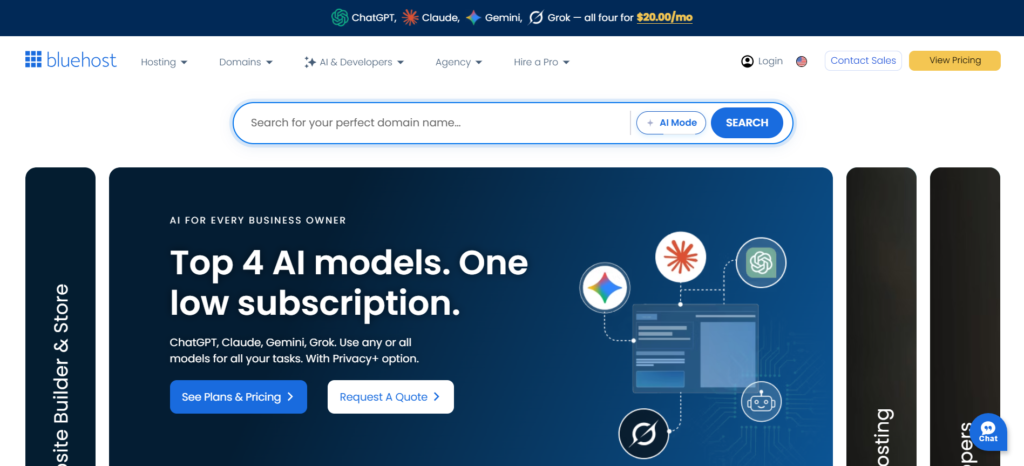
Bluehost is an easy to use WordPress hosting provider that not only hosts your website but also provides you tools to create and administer your site easily. Its user interface is very user friendly for novice webmasters. It is very simple to learn and work with their interface that is dedicated to managing your WordPress websites, domains, plugins, themes and other services at one single place.
However, the use of automated updates makes manual maintenance of the platform less necessary, while the website builder feature of the platform makes the creation of websites easy even for beginners. Installation and configuration of WordPress requires little technical knowledge. In all, Bluehost may be considered an ideal host for users who want simple WordPress hosting services.
Key Features
- Easy WordPress Installation
- Managed WordPress Tools
- Free SSL Certificate
- Automatic WordPress Updates
- Website Builder Tools
Pros:
- Beginner-friendly interface
- Easy WordPress setup
- Website-building tools
- Affordable introductory plans
- Suitable for smaller websites
Cons:
- Renewal prices can be higher
- Some advanced features require higher-tier plans
- High-traffic websites may need more powerful infrastructure
Pricing:
- Starter: $3.99/month — renews at $11.99/month
- Business: $6.99/month — renews at $15.99/month
- eCommerce Essentials: $14.99/month — renews at $26.99/month
Which Managed WordPress Host Fits Your Website?
The suitable WordPress host is highly dependent on the level of activity and technical needs of your website. WP Engine suits those that have large traffic and need infrastructure built on WordPress. Nexcess will be great for WooCommerce and ecommerce sites.
SiteGround will be perfect for growing sites that require some performance tools and good management. Cloudways is better for developers that are searching for cloud infrastructure flexibility. Hostinger suits cost-effective users, while Bluehost is good for starters.
Performance Features That Matter Most
Website performance can have a direct impact on the user experience, conversions, and visibility in search engines, so companies must pay attention not just to what is advertised about their servers. Having up-to-date server technology, including enough CPU and RAM, will enable a website to process many requests at once. Cache can help cut down processing time and deliver content, while CDN enables delivering website assets close to visitors.
NVMe storage may offer faster access to the data in comparison with conventional storage solutions. Page size reduction due to image optimization such as compression or new formats is another approach that can increase the loading speed. Reliability and scalability are other aspects that may influence the website performance.
Security and Maintenance Compared
Security plays a significant role in selecting a managed WordPress host since the websites built on WordPress can be attacked through automation processes. Automatic backups ensure that there will always be a way to recover from any problems that may arise in the event that the website becomes corrupted or even hacked. Malware detection prevents future problems from occurring.
Automated WordPress updates can also reduce risks associated with outdated software. SSL certificates enable HTTPS, helping protect information exchanged between visitors and the website. Additional security measures, such as firewalls, vulnerability monitoring, login protection, and other monitoring tools, can provide multiple layers of protection while reducing the amount of security maintenance required from website owners.
Managed WordPress Hosting Costs to Watch
The advertised monthly cost may not be indicative of the entire cost of the managed WordPress hosting service offered. This is because there may be different prices for the first-time payment and higher prices for renewing the subscription. Moreover, some packages may have certain restrictions like number of monthly visits allowed, amount of bandwidth available, and others.
Other charges might be applicable for premium security, backup, e-mail, and CDN services among others. Migration may be free with some providers but charged separately by others. As traffic grows, upgrading to a higher plan or adding resources can also increase overall hosting expenses.
Managed WordPress vs Regular Hosting
Managed WordPress hosting and traditional hosting serve different audiences.
| Factor | Managed WordPress Hosting | Regular Hosting |
| Performance | WordPress-optimized | General-purpose |
| Server management | Mostly handled by provider | More user responsibility |
| Security | Managed security features | Often requires additional configuration |
| Support | WordPress-focused | General hosting support |
| Scalability | Easier on premium plans | Depends on infrastructure |
| Cost | Usually higher | Usually cheaper |
Managed hosting is easier since the hosting company takes care of many of the technical aspects. The regular hosting solution may turn out to be cheaper and more flexible if the user knows how to control their WordPress environment.
Final Verdict
The best managed WordPress hosting service to use will vary depending on the type of website you have and other factors like budget.
WP Engine is a clear winner if you have a very high traffic site or you are an agency dealing with premium WordPress hosting infrastructure needs. On the other hand, Nexcess is the best managed WordPress hosting service for WooCommerce websites, while Cloudways offers developers greater flexibility through managed cloud infrastructure.
The following website hosting services will be beneficial to SiteGround websites in terms of speed and ease of management. The best choice for those who wish to have a WordPress website without making significant payments initially is Hostinger. Bluehost continues to be an ideal choice for beginners.
Compare their cost of renewal, amount of storage capacity, bandwidth/visitors that can visit the site, backup options, migration, security, support, staging, and scalability. A less expensive option does not necessarily mean an economical choice. Choose the service provider that can host your website currently but also has some potential for growth.
Frequently Asked Questions
1. Which managed WordPress hosting provider is best?
WP Engine is a good option overall when choosing an option for businesses and sites using WordPress. There might be more fitting choices at SiteGround, Nexcess, Cloudways, Hostinger, and Bluehost, however.
2. Is managed WordPress hosting worth the cost?
A managed WordPress hosting service will be worth the extra cost if your considerations revolve around performance, security, backup, support, and reduced server management. Some small personal sites don’t require all these features.
3. Which provider is best for WooCommerce?
Hosting with Nexcess is especially compatible with WooCommerce since their hosting services offer ecommerce-specific hosting and management capabilities.
4. Is Cloudways good for WordPress?
Sure. Cloudways is a good option for WordPress websites requiring cloud-based infrastructure with the ability to scale up and down and control from developers.
5. What is the cheapest managed WordPress hosting?
Hostinger and Bluehost tend to provide some of the most competitive prices when starting out. But remember not to base your decision solely on the first price; consider what you get in relation to renewal prices, resources, storage, etc.